
As per the Event Execution Pipeline for plugins in Dynamics 365, here we will look at a pre-validation plugin.
These plugins execute before the main system operation and outside the database transaction. Pre-validation runs before validation occurs. You can also modify values at this stage, though this may be generally done in pre-operation. If you are creating a record, as the record is not created at this point, you will not have a record GUID.
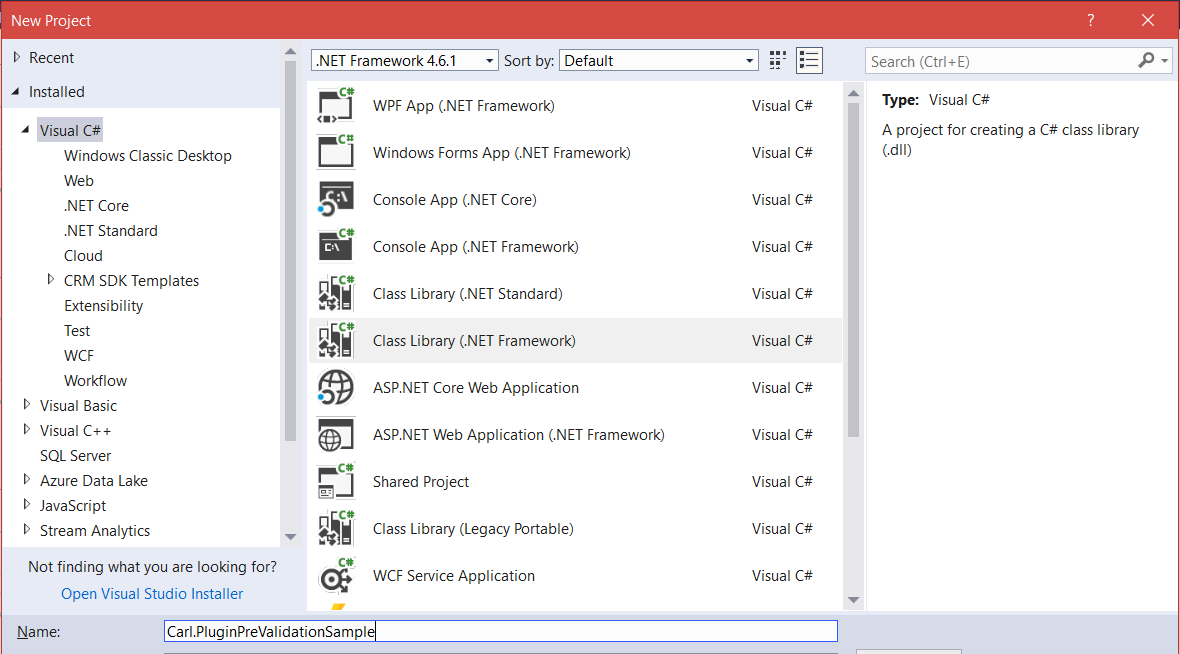
In Visual Studio, create a new Class Library:
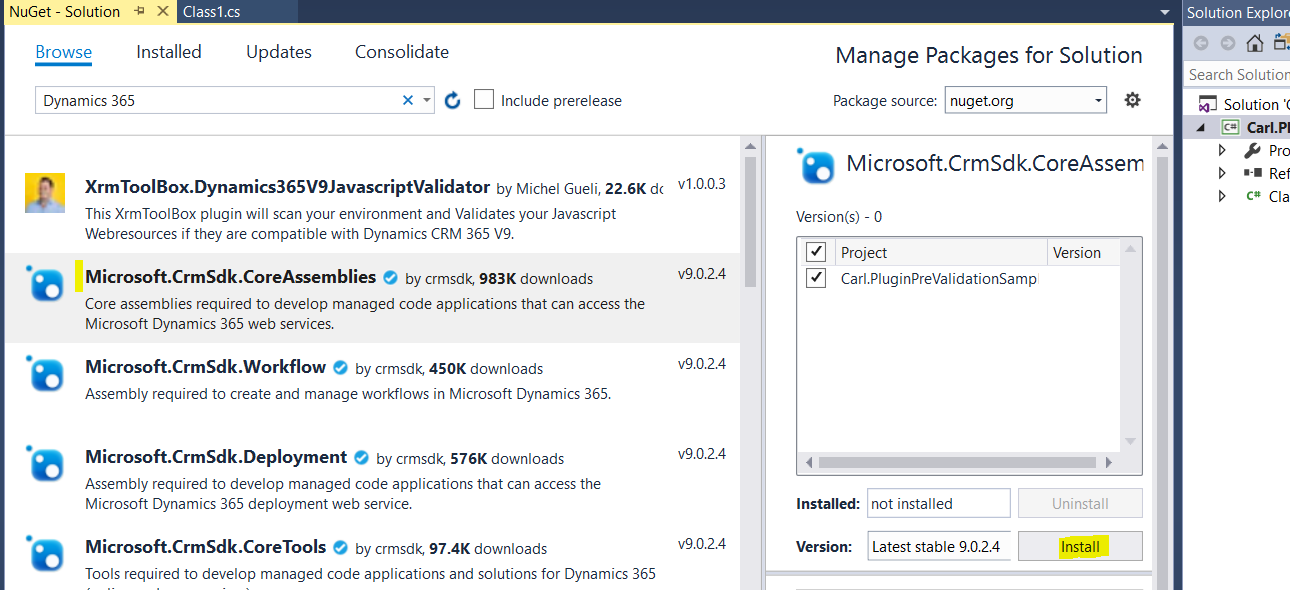
Through NuGet, add the latest Microsoft.CrmSdk.CoreAssemblies:
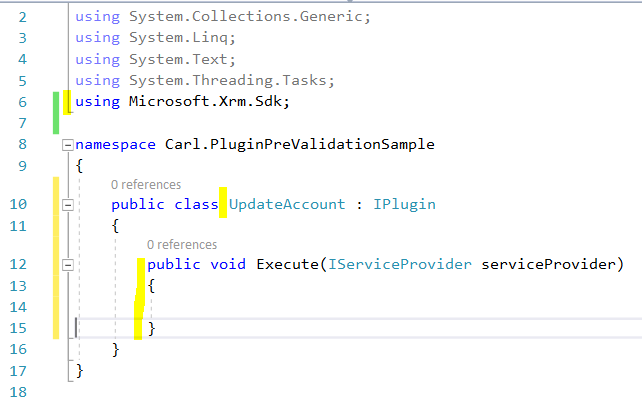
Add:
using Microsoft.Xrm.Sdk;
We will call our class UpdateAccount, IPlugin with an Execute method:
Add the code. We will update the fax number of the account:
usingSystem;usingSystem.Collections.Generic;usingSystem.Linq;usingSystem.Text;usingSystem.Threading.Tasks;usingMicrosoft.Xrm.Sdk;
namespaceCarl.PluginPreValidationSample{publicclassUpdateAccount : IPlugin{publicvoidExecute(IServiceProvider serviceProvider){IPluginExecutionContext context = (IPluginExecutionContext)serviceProvider.GetService(typeof(IPluginExecutionContext));
if(context.InputParameters.Contains("Target") && context.InputParameters["Target"] isEntity){Entity entity = (Entity)context.InputParameters["Target"];
if(entity.LogicalName == "account"){if(entity.Attributes.Contains("fax") == false){entity.Attributes.Add("fax", "1112221111");}}}}}}
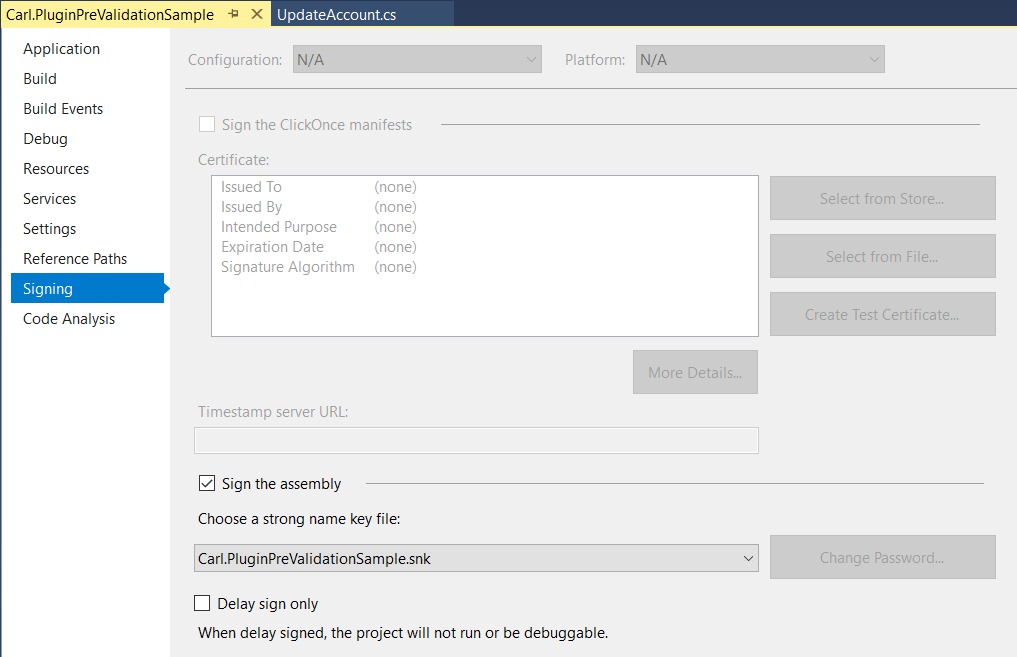
Sign the assembly:
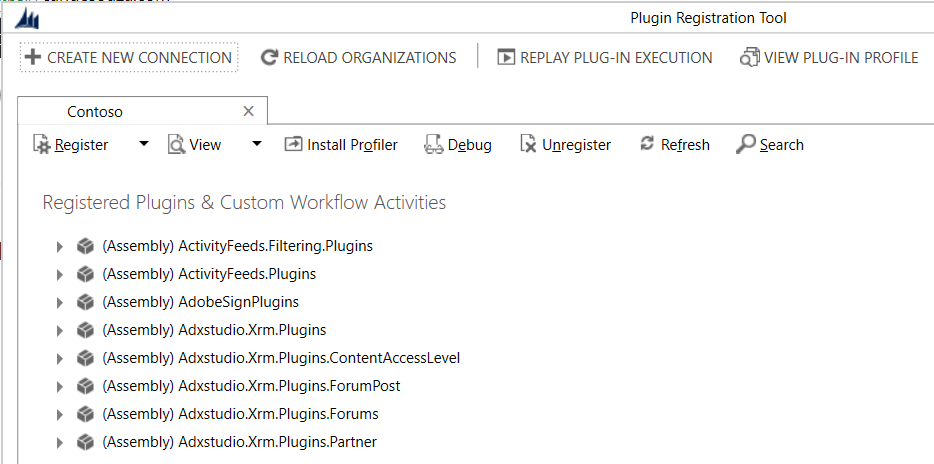
Now open the Plugin Registration Tool and register:
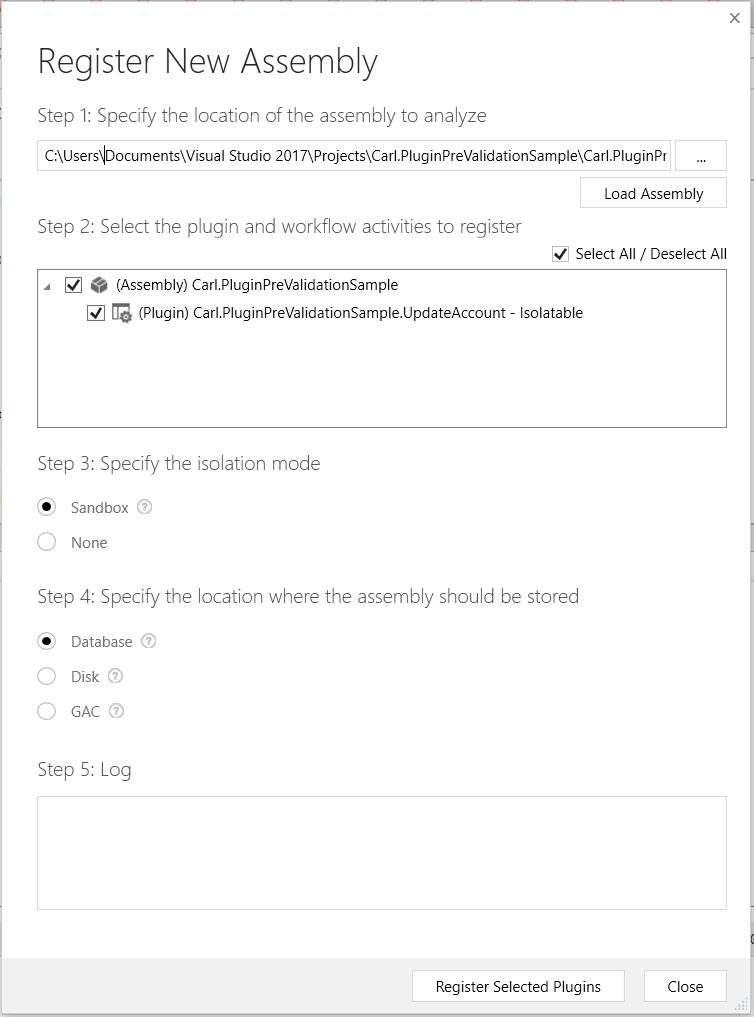
Click Register Selected Plugins:
Click Register New Step. We make this an update to account, pre-validation:
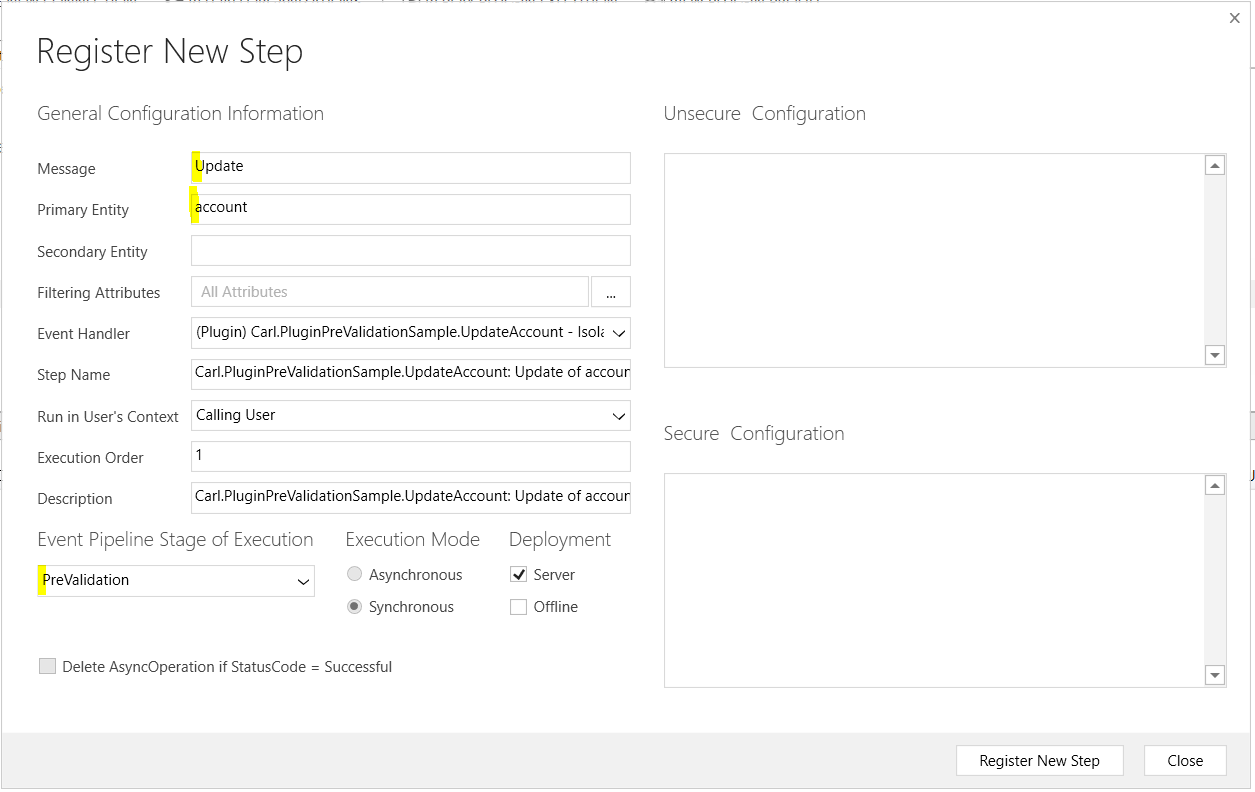
Note as this is pre-validation, it needs to be synchronous and cannot be asynchronous.
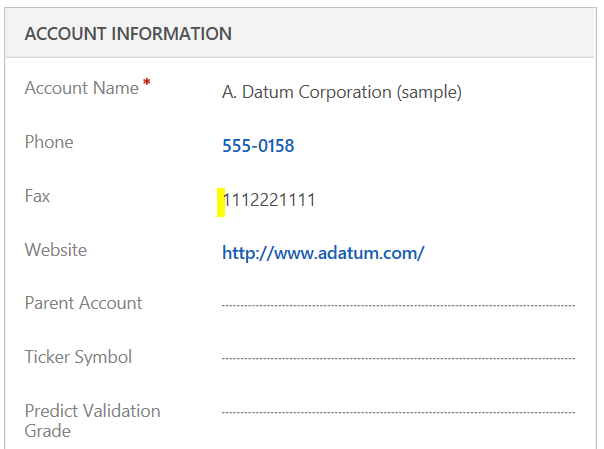
Now we can test this. On an account record, insert a fax number:
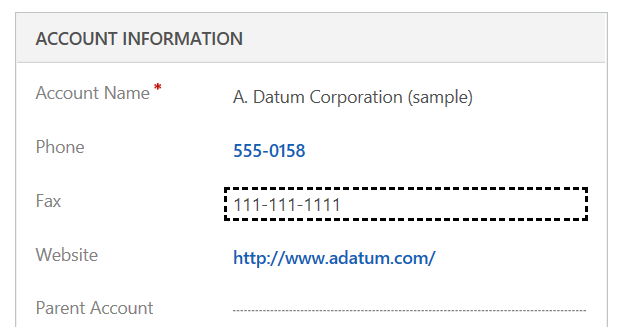
After saving and refreshing, we can see the fax has been overwritten by our plugin:
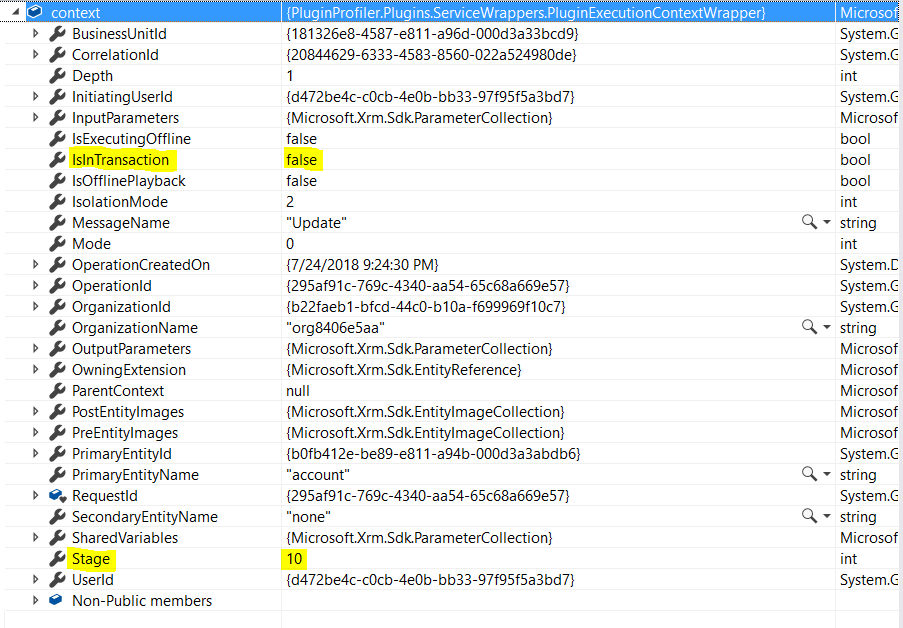
We can see if we run this in the debugger, the Execution Pipeline stage is 10 (pre-event, pre-validation). As this executes outside the database, the IsInTransaction is false:


4 thoughts on “DYNAMICS 365 – PRE-VALIDATION PLUGIN”