

Introduction
Enable email validation in Dynamics 365 Sales to remove incorrect email addresses from your leads and contacts. You’ll receive a higher return on your sellers’ time, lower email bounce rates, and more engagement.
Email address validation looks for the following issues:
- Incorrect syntax: An address that doesn’t contain both a username and an email domain
- Disposable domain: An address that contains a known disposable or temporary email domain
- Test or spam email addresses: An address that contains known indicators of a test or spam address in the email header or metadata, IP address, HTML code of the email, and email content and formatting
- Expired email addresses: An email account that has expired and can no longer receive or send email
- Emails that bounce back: An address that can’t receive a message for any reason
Prerequisite
Enable the email validation feature, and ensure that the AI Builder preview models option is enabled in the Power platform Admin center for the organization. This feature is different from the email validation feature in Power Apps
- Go to the Power Platform Admin Center.
- Select the environment and click on settings.
- Expand the Product and select Features.
- Select On for AI Builder preview models.
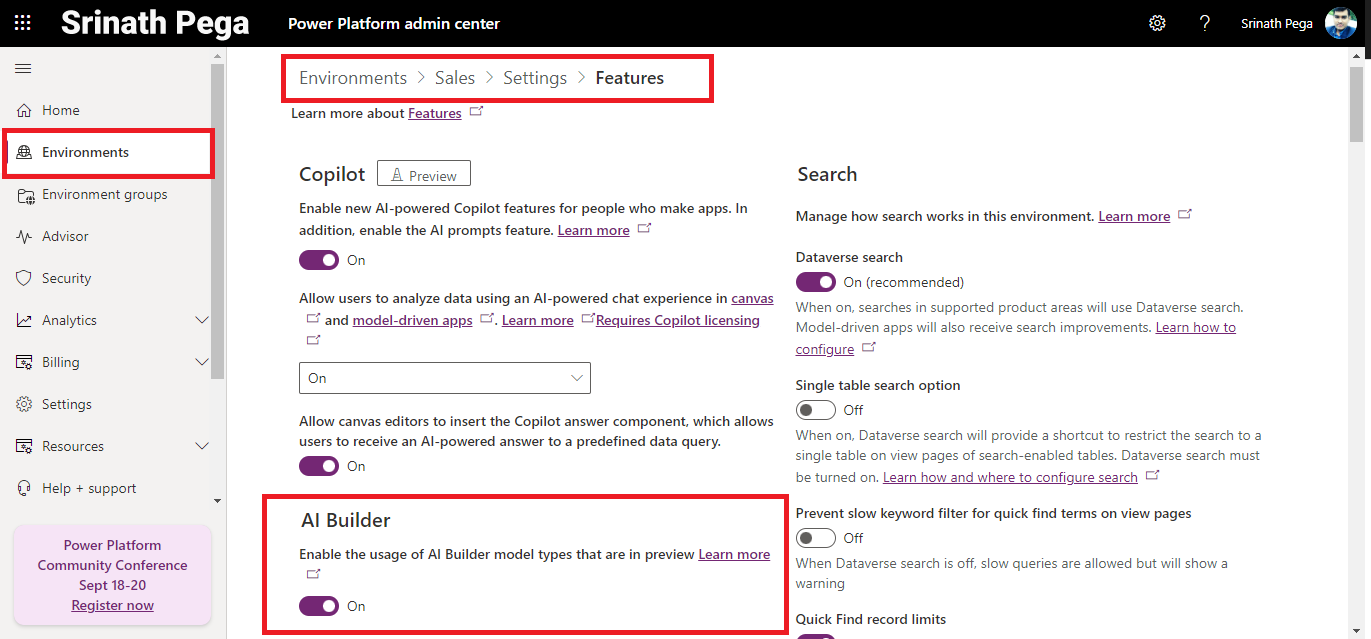
5. Click on save.
Unified Interface App
- Go to Power Apps Maker Portal.
- Select the Environment and select the settings then click on Advanced Settings.
- Select Settings and click on Administration.
- Select System Settings and select the Preview tab.
- Select I’ve read and agree to the license terms check box.
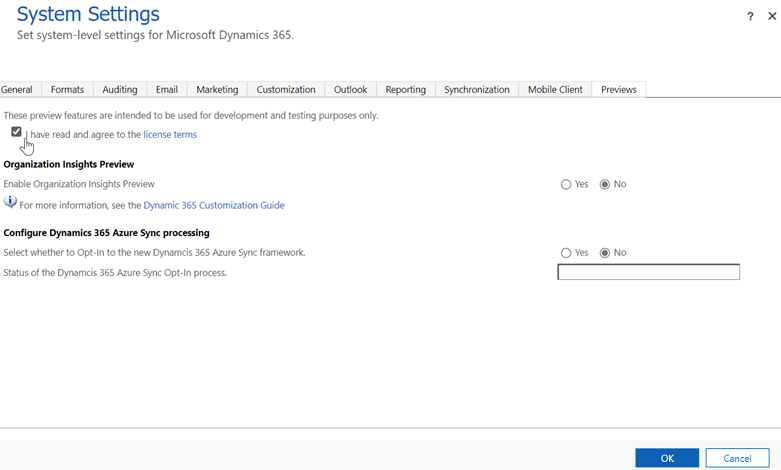
6. Click on Save
Limitations of email validation
- Email validation works only for lead and contact records.
- It checks only the primary email address in lead and contact records.
- Leads and contacts that are older than 180 days aren’t validated.
Enable email address validation
- In the Sales Hub site map, select Change area > App settings > Data improvement > Email validation.
- Turn on email validation for leads and contacts, according to your requirements.

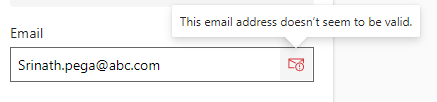
Email validation runs immediately on the primary email address in lead and contact records. A red envelope icon indicates an invalid email address.
Email address validation
Hope you learn something, Thanks for Reading 📖!
Happy Power365ing!

