

Introduction
Dynamics 365 Online exposes Web API endpoints, making integration simple. The most difficult part, though, is authenticating since Dynamics 365 Online uses OAuth2.0. Every HTTP request to the Web API requires a valid access bearer token that is issued by Microsoft Azure Active Directory.
In this blog, I will talk about how to use Dynamics 365 Application User (Client ID and Secret Key). Getting a bearer token from a refresh token after it expires is also covered. The steps you would need to take to use user credentials for authentication are listed below.
API Authentication Architecture

Postman
Postman is an API (application programming interface) development platform that allows developers to test APIs.
- Create and share API requests and collections
- Test your API
- Monitor the performance of our API
To download the Postman, you can go to the below link Postman
To test an API we need to have the Azure App registration as an application user in Dynamics 365 CRM and Finance & Operations.
Follow the steps mentioned in the video below to create the app registration
Get Bearer Access Token by sending an HTTP POST request to Token endpoint
The Token URL endpoint for any Dynamics 365 Online instances is https://login.microsoftonline.com/{Tenaant ID}/oauth2/token
- Open the Postman application and open a New request.
- Select the HTTP request.

3. Select POST mathad.
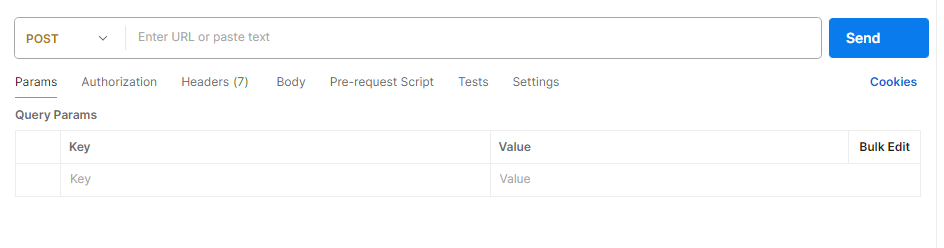
4. Given Dynamics 365 authentication HTTP endpoint token URL.
https://login.microsoftonline.com/{Tenaant ID}/oauth2/token (Tenant ID will get it from the Azure App registration )

5. The following will be included in the HTTP request body content, which is URL encoded.
| Key | Value |
|---|---|
| client_id | 878b5b54-a6ac-xxxx-8e8e-5943d2d90140 |
| client_secret | 9vC8Q~xPxtxxxxxxxJyYi_s3Csz8Ie8EC1cm. |
| grant_type | client_credentials |
| Scope | api://{Client ID}/.default api://878b5b54-a6ac-41da-8e8e-5943d2xxxxxx/.default |
| resource | https://srixxxxx.crm.dynamics.com/ (Dynamics 365v CRM / Finance & Operation URL) |
These values will be from the Azure App registration.

6. Click on Send request in the Postman to get the Bearer auth 2.0 authentication token.

Hope you learn something, Thanks for Reading 📖!
Happy Power365ing!
Do subscribe to receive updates on the new blog.

