

Migrating from one CRM platform to another is rarely just a data migration exercise. A successful CRM transformation requires organisations to understand their existing business processes, data structures, customisations, integrations, dependencies, and most importantly what should actually be carried forward into the new platform.
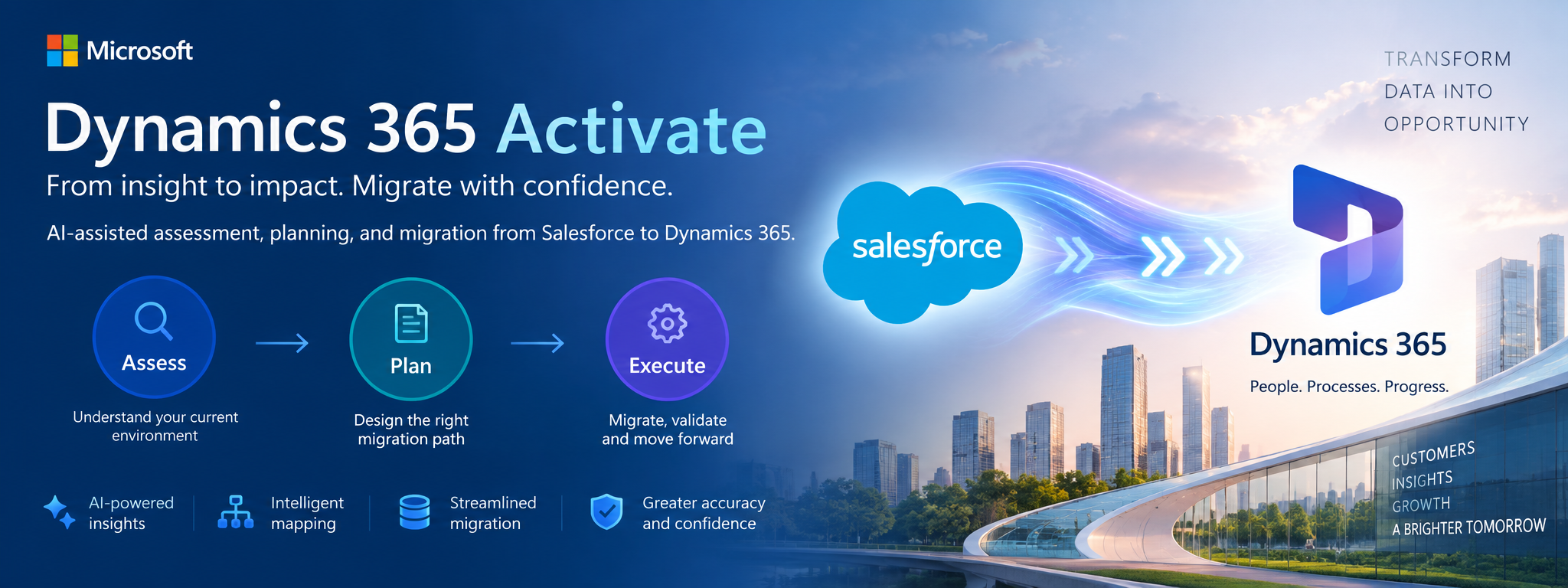
This is where Dynamics 365 Activate introduces an interesting new approach. Microsoft describes Dynamics 365 Activate as a unified, AI-assisted implementation and migration experience designed to help customers, partners, and system integrators understand existing business application environments, make transformation decisions, and accelerate migration and implementation. The capability is currently in preview, and its current migration experience supports Salesforce-to-Dynamics 365.
From “Migrate Everything” to “Transform What Matters”
Traditional CRM migrations can easily become a technical exercise:
Salesforce → Extract → Transform → Load → Dynamics 365
But simply reproducing the source system in the target platform doesn’t necessarily create a better business solution.
What should we migrate, what should we redesign, and what should we leave behind?
Dynamics 365 Activate is designed around this transformation mindset. Its approach can be viewed through three key stages:
1. Assess
The first step is understanding the existing Salesforce environment.
Activate can assess areas such as:
- Data structures
- Configurations
- Customizations
- Business processes
- Integrations
- Dependencies
This gives the implementation team a clearer picture of the source environment before making migration decisions.
2. Plan
Assessment results can then be used to determine:
- Migration scope
- Dependencies
- Complexity
- Readiness
- Data and object mapping
- Components that should be retained
- Components that should be simplified
- Components that should be redesigned
- Components that may no longer be required
This is an important shift in thinking. Instead of asking:
“How do we reproduce Salesforce in Dynamics 365?”
The project team can ask:
“How do we build the right Dynamics 365 solution based on what we learned from Salesforce?”
3. Execute
Once the team establishes the migration strategy, it can move toward execution. Microsoft describes the Salesforce migration experience as covering the journey from discovery and object mapping through schema deployment, data migration, and reconciliation.
This creates a more structured migration lifecycle:
Discover → Assess → Map → Design → Deploy → Migrate → Validate → Reconcile
Where Dynamics 365 Activate Fits in a Migration Architecture
A modern Salesforce-to-Dynamics 365 program could look like this:
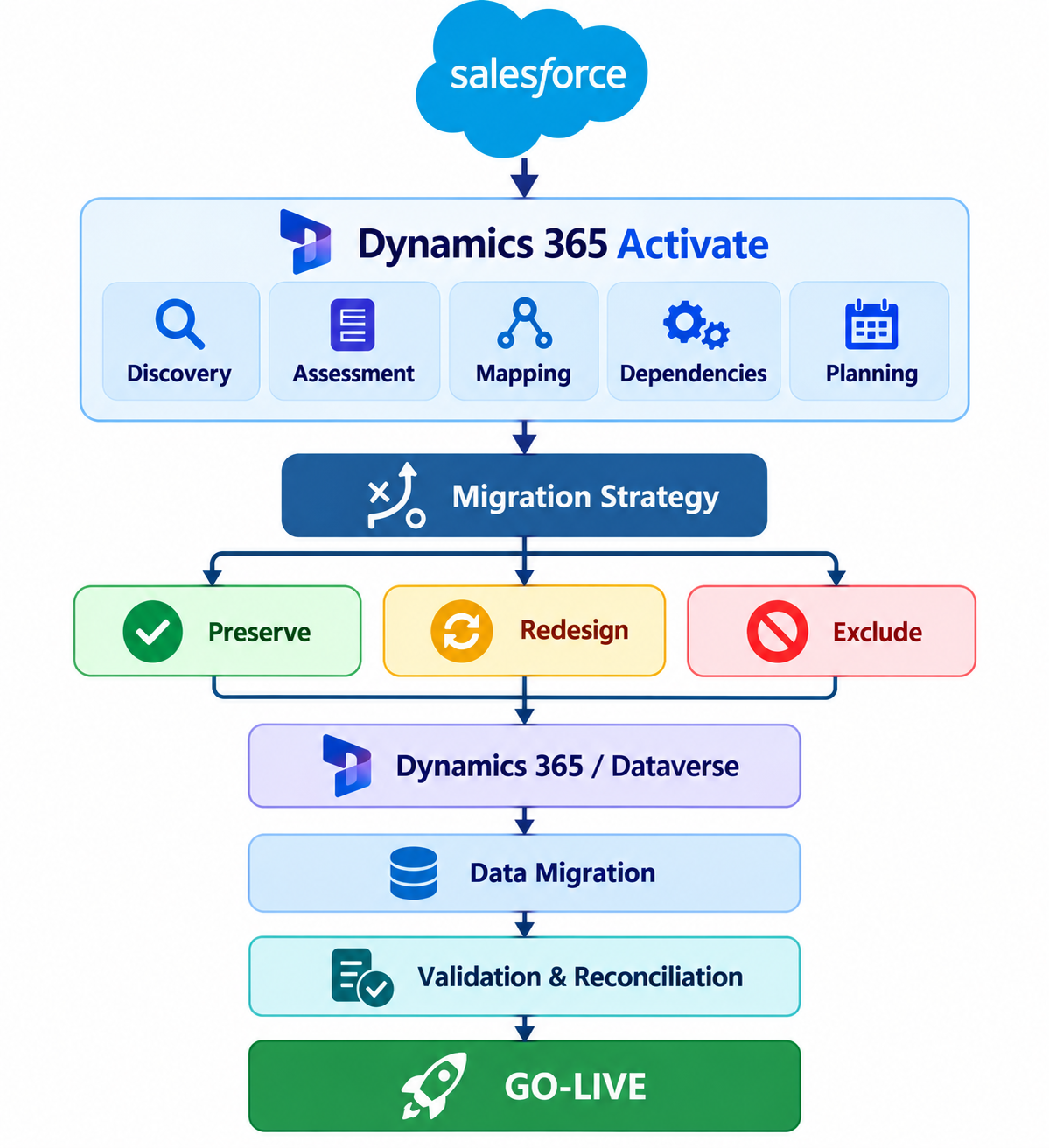
This approach aligns with broader Microsoft guidance that migration should include discovery, scope definition, mapping and transformation, ETL, testing, validation, and cutover planning.
Dynamics 365 Activate and KingswaySoft
Organisations using KingswaySoft for Salesforce-to-Dataverse migration, Activate can be viewed as complementary rather than necessarily replacing the ETL layer.
| Migration Activity | Dynamics 365 Activate | KingswaySoft |
| Salesforce discovery | ✓ | Possible |
| Environment assessment | ✓ | |
| Object analysis | ✓ | ✓ |
| Dataverse schema generation | ✓ | Limited |
| One-time data migration | ✓ | ✓ |
| Complex transformations | Limited | ✓ |
| Lookup resolution | ✓ | ✓ |
| Large-volume migration | ✓ | |
| Migration planning | ✓ | |
| Data validation | ✓ | ✓ |
| Mapping | ✓ | ✓ |
| ETL execution | ✓ | |
| Custom data logic | ✓ | |
| Reconciliation | ✓ | ✓ |
Dynamics 365 Activate for assessment and migration planning + KingswaySoft for controlled ETL execution + Dataverse/Dynamics 365 for the target platform.
This separation can help the project team distinguish what should be migrated from how the data is technically migrated.
Migration lifecycle
Salesforce → Dynamics 365 project using KingswaySoft, I would structure the plan as:
1. Discovery → 2. Assessment → 3. Mapping → 4. Dataverse schema → 5. KingswaySoft ETL → 6. Data validation → 7. Delta migration → 8. Cutover
The Microsoft Activate discovery capability can be particularly useful during Phases 1–3. At the same time, KingswaySoft can remain the primary ETL mechanism for the actual migration, where you need detailed control over transformations and relationships.
Microsoft says the Salesforce connection is read-only, and the application uses the configured Salesforce integration user’s permissions to determine what metadata and records it can discover/migrate.
Hope you learn something, Thanks for Reading 📖!
Happy Power365ing!

